

CAD Shop Drawings vs BIM Shop Drawings: Which One Fits Your Project?
In today’s architecture, engineering, and construction (AEC) industry, the way you produce shop drawings services can make or break project efficiency, budget control, and team collaboration. Whether you’re delivering bespoke commercial buildings in London, large infrastructure projects in the USA, or complex industrial facilities globally, deciding between CAD shop drawings and BIM shop drawings is a pivotal early choice.
Over the past decade, the construction world has shifted from traditional 2D drafting towards data-driven digital processes. Yet, many firms still use both Computer-Aided Design (CAD) and Building Information Modeling (BIM) depending on project scale, complexity, and client expectations. Understanding how each approach affects your outcomes from planning and fabrication to installation helps you choose a path that aligns with your business goals and your clients’ needs.
What Are CAD Shop Drawings and BIM Shop Drawings?
Before we compare, let’s clarify the differences.
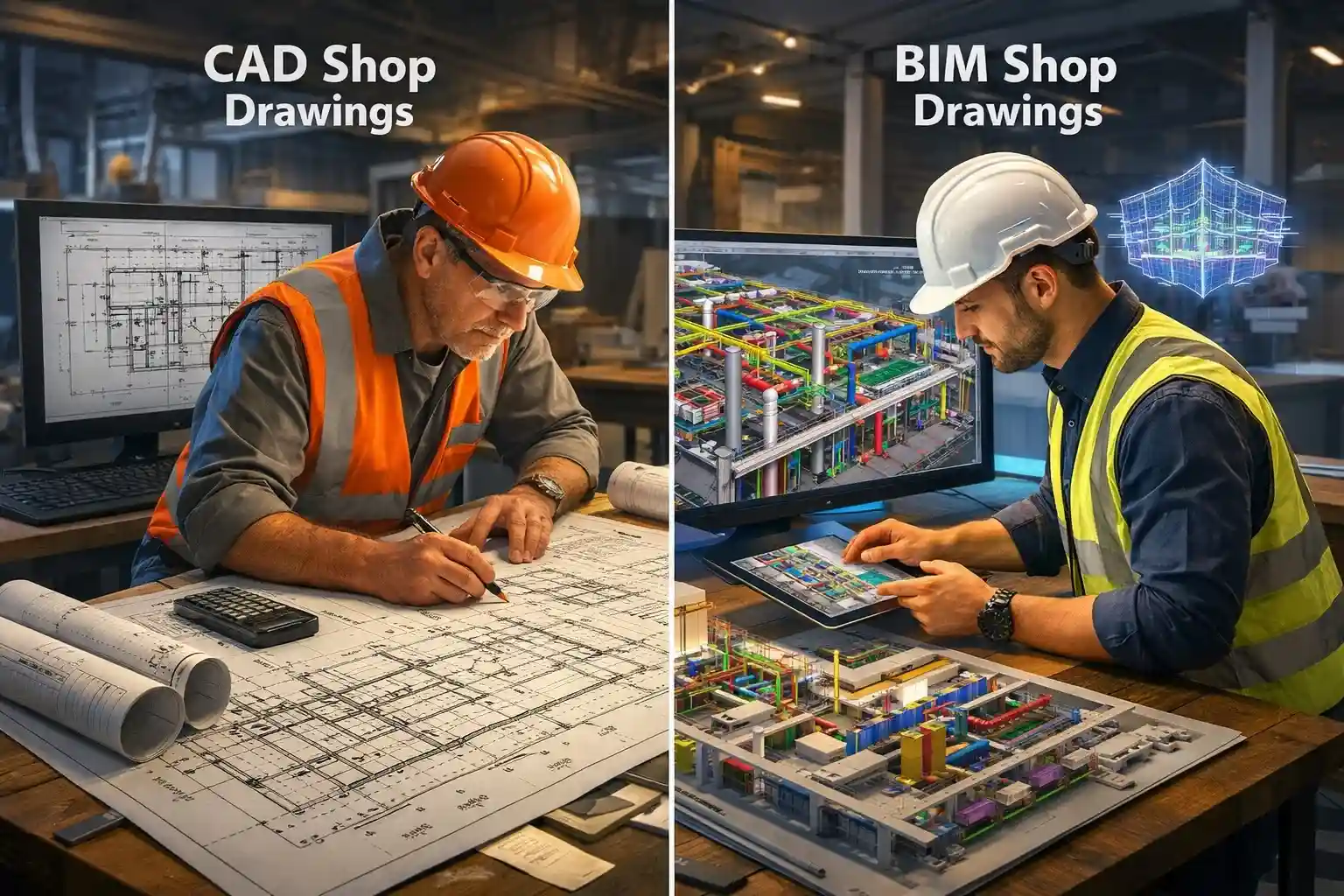
CAD shop drawings are detailed 2D representations created using software like AutoCAD. They show components, dimensions, and annotations that guide fabrication and installation. These drawings focus on exact dimensions and construction details but lack embedded information beyond geometry.
In contrast, BIM shop drawings are derived from a coordinated 3D building information model. Rather than isolated views, BIM drawings contain a rich set of data materials, specifications, spatial relationships, schedules, and quantities extracted from a single digital model. This means changes to the model automatically propagate to the drawings, reducing errors and accelerating revisions.
Why Are Shop Drawings Essential?
Shop drawings construction deliverables bridge the gap between design and on-site execution. They:
- Provide detailed fabrication and assembly guidelines.
- Translate architectural intent into constructible steps.
- Reduce construction risks by specifying material sizes, connection types, and installation sequencing.
- Serve as reference documents for fabricators, contractors, and site teams.
Whether in CAD or BIM, shop drawings represent the technical backbone of any build.
How Do CAD and BIM Shop Drawings Differ in Practice?
What’s the Main Technical Difference?
The most obvious distinction is data context:
- CAD shop drawings involve drafting each view manually floor plans, sections, elevations, and details.
- BIM shop drawings are automatically generated from a central model that embeds geometry and metadata, meaning every view reflects a single source of truth.
This difference influences accuracy, revision control, and multidisciplinary coordination. BIM eliminates redundant tasks like re-drawing similar views or manually checking clashes between trades.
Which Method Supports Better Collaboration?
In modern construction, multidisciplinary coordination is critical. BIM enables team architects, structural engineers, MEP specialists to work on the same 3D model, reducing miscommunication and clash issues. Tools like Revit support real-time collaboration, which is difficult to achieve with traditional CAD files without complex version control practices.
In contrast, CAD workflows tend to require separate drawings for each discipline, increasing the risk of outdated information and costly corrections on site.
What Do Industry Trends Say About BIM Adoption?
Globally, BIM adoption is rising rapidly:
- Around 73% of UK construction companies report using BIM, and it’s mandatory on government projects.
- In the United States, BIM adoption among large architecture firms is extremely high, with expectations that nearly all major firms will be using BIM in the coming years.
- National mandates and standards, such as the UK’s Level 2 BIM requirement for publicly funded work, continue driving uptake.
These trends show a clear movement toward BIM-centric workflows, especially on larger and more complex builds.
Are There Scenarios Where CAD Still Makes Sense?
Yes. For certain projects, particularly smaller residential builds or tightly scoped 2D deliverables, CAD remains appropriate:
- CAD has a lower hardware requirement and easier learning curve for teams already familiar with AutoCAD.
- Some clients still request traditional 2D shop drawings or have legacy systems built around CAD.
- Short-turnaround tasks with minimal revision needs may benefit from simple CAD drafting.
However, as projects scale and multidisciplinary coordination increases, the limitations of CAD become more apparent.
Does BIM Improve Project Outcomes?
Numerous industry studies point to measurable benefits associated with BIM workflows:
- BIM reduces design conflicts and project delays through clash detection and coordinated models.
- It supports material optimisation and cost tracking because models embed quantities and specifications.
- BIM models can reduce on-site rework and change orders, saving time and budget.
Moreover, BIM’s ability to support 4D scheduling and 5D cost planning means project leaders have better visibility into timelines and budgets, a major advantage over traditional 2D CAD deliverables.
Are There Challenges to Transitioning from CAD to BIM?
Yes, and acknowledging them helps you plan better.
Training & skills gap: Teams unfamiliar with BIM tools require investment in training and process change. BIM is not just a software change it’s a workflow transformation.
Small-firm limitations: Not all SMEs fully embrace BIM yet. Research shows that a significant portion of smaller UK firms lag behind larger firms in BIM adoption due to resource constraints.
Legacy standards: Many existing CAD standards still govern aspects of regulatory submissions and documentation, so hybrid approaches often persist.
What About 3D Shop Drawings?
The term 3D shop drawings typically refers to deliverables extracted from a 3D cad model, whether in CAD 3D environments or, more commonly, from a BIM platform. In both cases, 3D visuals help stakeholders visualize complex assemblies and spatial relationships more clearly than flat 2D views.
In BIM workflows, these 3D shop drawings integrate data like clash information, installation directions, and material specifications, offering deeper value than standalone 3D CAD visuals.
How Should You Choose?
Here’s a simple decision-framework:
Choose CAD shop drawings if:
- Projects are small to medium in scale.
- You require simple 2D deliverables with minimal coordination.
- Your team and clients are CAD-centric.
- Initial setup time needs to be minimal.
Choose BIM shop drawings if:
- Projects are multidisciplinary and large scale.
- You need robust clash detection, scheduling, and cost insights.
- Real-time team collaboration is essential.
- You need to scale workflows across multiple projects.
Remember: many firms find value in hybrid workflows, using CAD for simple tasks and BIM for complex coordination work.
Conclusion:
The choice between CAD and BIM shop drawings ultimately depends on your project’s needs, team capabilities, and strategic direction. However, industry trends clearly support a growing shift toward BIM-enabled shop drawings especially for larger, complex projects that demand collaboration, data integrity, and accuracy.
If your business is planning future-proof growth in the UK, the USA, or globally, adopting workflows that embrace BIM or at least preparing your team to transition will unlock efficiency, reduce risk, and position you ahead of competitors in the digital AEC landscape.
For professional shop drawings services whether CAD or BIM consider partnering with specialists who understand both traditional drafting and modern modeling techniques to ensure your deliverables meet the needs of architects, engineers, and builders alike.
FAQs
What is the difference between CAD shop drawings and BIM shop drawings?
CAD shop drawings are typically 2D technical drawings created using AutoCAD that show dimensions and construction details. BIM shop drawings are generated from a 3D building information model and include embedded data like materials, quantities, and coordination information, making them more accurate and collaborative for modern construction projects.
Which shop drawings are better for construction projects in the UK and USA?
For large or complex construction projects in the UK and USA, BIM shop drawings are generally preferred due to better coordination, clash detection, and compliance with modern construction standards. CAD shop drawings are still suitable for smaller or less complex projects where 2D documentation is sufficient.
Are BIM shop drawings mandatory for construction projects in the UK?
BIM is mandatory for UK government-funded construction projects, but not legally required for all private projects. However, many UK contractors and architects now prefer BIM shop drawings because they improve accuracy, reduce rework, and support digital construction workflows.
What industries benefit most from BIM shop drawings?
Industries that benefit the most include:
- Commercial and residential construction
- Infrastructure and public works
- MEP and HVAC installations
- Structural steel and fabrication
- Modular and prefabricated construction
BIM shop drawings are especially valuable where coordination and precision are critical.
When should you use CAD shop drawings instead of BIM?
CAD shop drawings are ideal when:
- The project scope is small or repetitive
- Only 2D documentation is required
- The client requests traditional shop drawings
- Budget or timeline constraints limit BIM adoption
They remain a practical solution in many shop drawings construction workflows.
What are 3D shop drawings and how are they used?
3D shop drawings visually represent components and assemblies in three dimensions, helping teams understand spatial relationships and installation sequences. They are commonly derived from BIM models and are used for clash detection, fabrication planning, and client approvals.
How do professional shop drawing services improve project efficiency?
Professional shop drawings services help reduce construction errors, improve coordination between teams, speed up approvals, and minimize costly rework. By using CAD or BIM based on project needs, they ensure drawings are accurate, compliant, and ready for fabrication and installation.